Google Maps,
on your Suzuki dash.
Zuki Nav sends Google Maps turn-by-turn directions to the Suzuki Ride Connect console over Bluetooth, and tracks your trips, mileage and range while you ride.
Android 10 and up · Unofficial, not affiliated with Suzuki
The dash was great. The maps weren't my choice.
Suzuki Ride Connect only puts directions on the dash when you navigate inside Suzuki's own app, with Mappls maps. I plan every ride in Google Maps: my saved places, its traffic, its routes.
So I built the bridge.
Zuki Nav reads the directions Google Maps already shows on your phone and sends them to the console in the dash's own Bluetooth language: arrow, distance, ETA and distance left. Then it kept growing from real rides on a Gixxer SF 250: trips, fuel range, call and WhatsApp alerts, and a proper live dash panel in the app.
It's free, open source, and built by a rider for riders.
Everything the dash can show, from the apps you already use.
Start a route in Google Maps and ride. Zuki Nav does the rest in the background.
Google Maps Turn-By-Turn
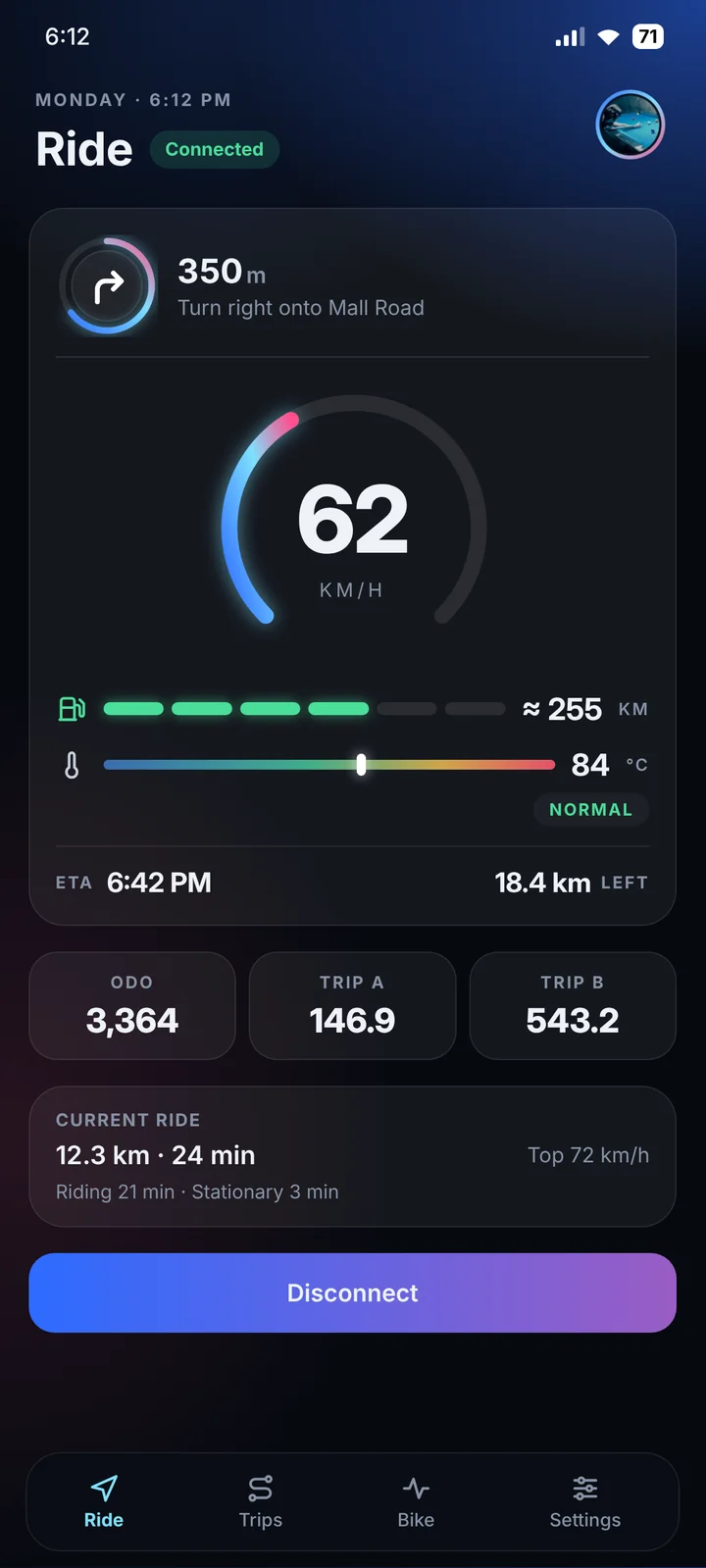
The turn arrow, distance to the turn, ETA and distance left on the dash, five times a second. Roundabouts and U-turns follow your traffic side.
Live Dash Panel
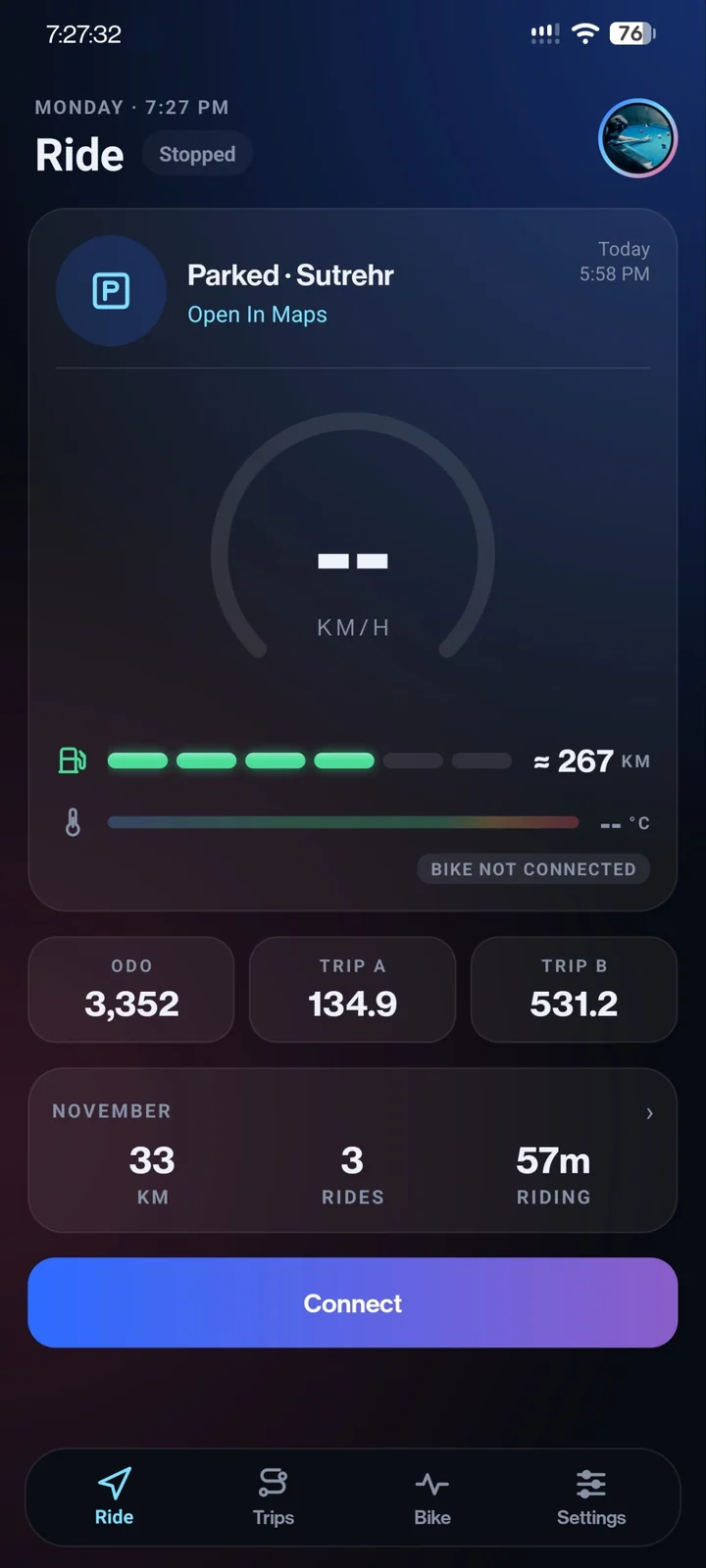
Speed gauge, next turn, fuel cells, ODO and both trip meters on your phone, live from the bike. The last readings stay when the ignition is off.
Mileage And Range
Spots refills when the fuel bars go up, works out km/l and cost per km from full tank to full tank, and learns km per bar to show how far you can still go.
Every Ride Saved
Ignition on to ignition off: distance, moving time, average and top speed, and where you started and ended. Star, rename or share any ride.
Share Your Ride
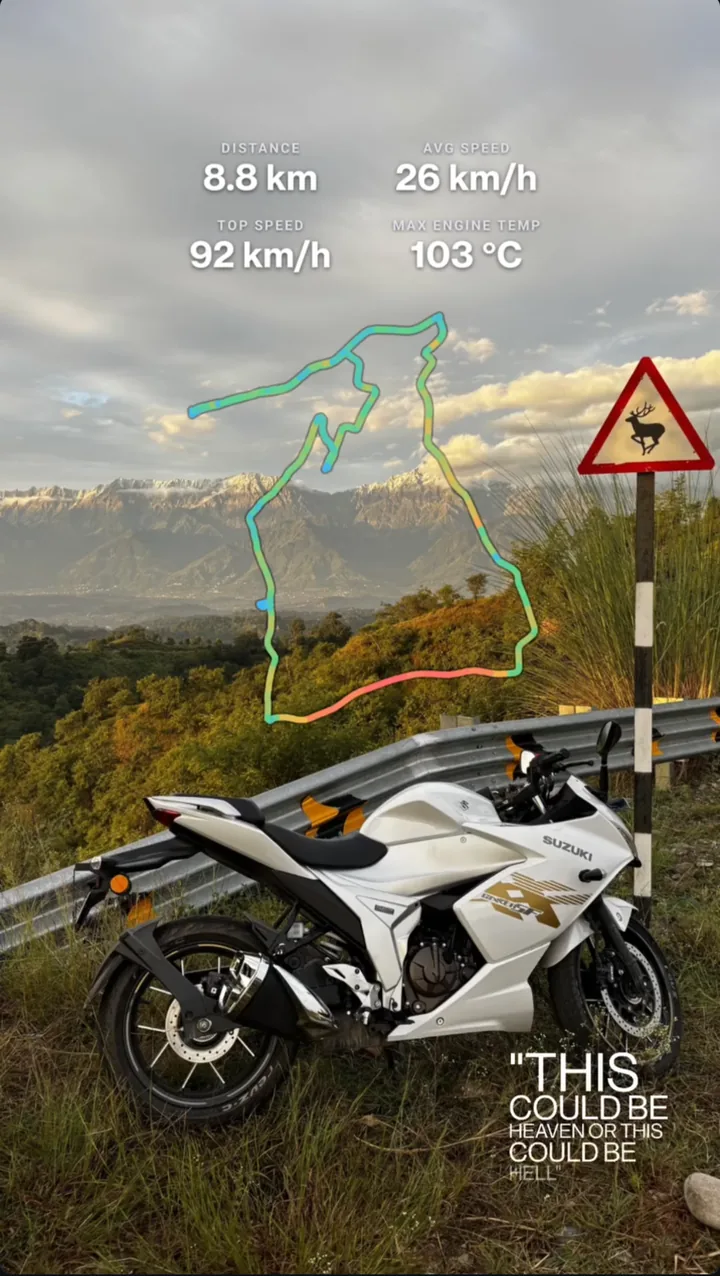
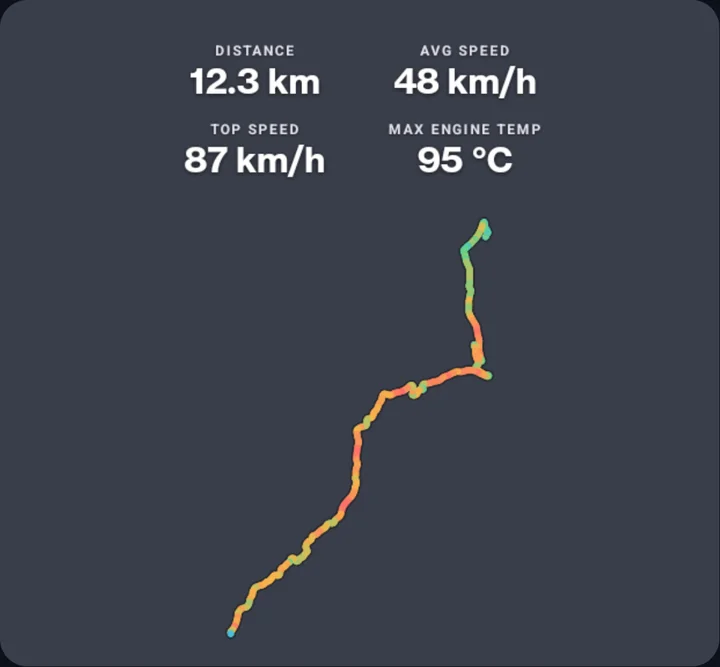
Turn any ride into a Strava-style route doodle with your distance, speeds and engine temperature, on a see-through, dark or light background.
Call And Message Alerts
Phone and WhatsApp calls with the caller's name, new WhatsApp and SMS messages, and an option to skip bank, OTP and promo SMS.
Your Welcome
The dash greets you by name when it connects, with an optional spinning-arrow startup animation and a short greeting of your own.
Make It Yours
Dark, Light and true-black AMOLED themes, eight accent colours or your wallpaper's colours, and a rider avatar.
Just Works
Connects on its own when the ignition turns on, saves battery while the bike is parked, and updates itself from GitHub releases.
Try the accents
The same colours the app uses. Tap one to repaint this page.
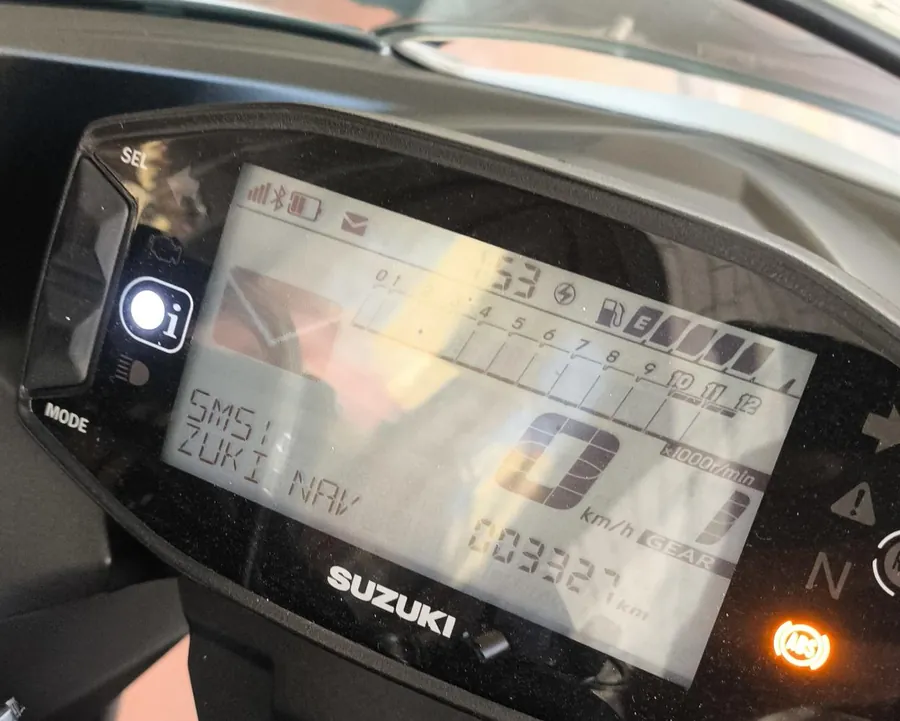
Not a mockup. This is the dash.
From a Gixxer SF 250 running Zuki Nav. Tap one to see it bigger.
Every ride, ready to post.
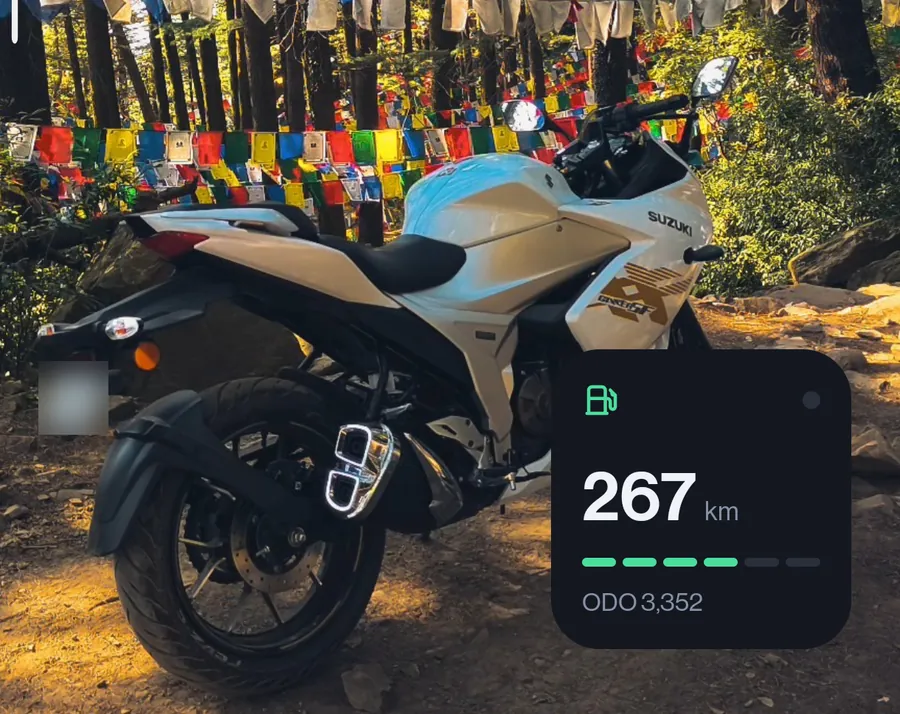
Each ride's route becomes a Strava-style map doodle with your numbers on it. Lay it over a photo from the ride and post it as your story, in one tap.
- Transparent to drop over your own photo or story, or Dark and Light on their own.
- The line in your accent colour, coloured by speed, or plain white.
- Pick the stats: distance, time, average and top speed, max engine temperature, and the trip name.
- Share to Instagram or WhatsApp, or Save to your gallery. Your picks are remembered.
Real rides, real screens.
Straight from a phone connected to a Gixxer SF 250. Every number here came from the bike's own dash. Tap a screen to see all of it.
Zuki Nav and Suzuki Ride Connect
Both talk to the same dash over Bluetooth. The difference is where your directions come from, and what's built around them.
| Zuki Nav | Suzuki Ride Connect | |
|---|---|---|
| Directions | Google Maps, the app you already plan rides in | Mappls, inside Suzuki's app |
| Starting a route | Any way you open Google Maps: saved places, a shared link, voice | Search and navigate in Suzuki's app |
| Look | Dark, Light, AMOLED, accents and wallpaper colours | Suzuki's design |
| Source code | Open source, MIT licence | Closed |
| Price | Free | Free |
The dash talks to one app at a time, so close Ride Connect while you use Zuki Nav. Zuki Nav is a community project, not a Suzuki product.
On the road in five minutes.
Works with Ride Connect bikes sold in India
- Gixxer / Gixxer SF
- Gixxer 250 / SF 250
- V-Strom SX
- Access 125
- Access TFT Edition
- e-ACCESS
- Burgman Street
- Burgman Street EX
- Burgman Street TFT
- Avenis
Tested on the author's Gixxer SF 250. Reports from other models are welcome on GitHub.
Setup
- Download the APK from the latest release and install it.
- Grant Nearby Devices and Notification Access when Setup asks.
- Close Suzuki Ride Connect, turn the ignition on and tap your bike to pair.
- Start a route in Google Maps and ride. The arrows appear on the dash.
Zuki Nav is free, and always will be.
It's built in spare time, on real rides. If it made your trips better, a small UPI tip helps keep it going: new features, more bikes tested, faster fixes. Stars and bug reports on GitHub help just as much.
Pay With UPI opens GPay, PhonePe, Paytm or any UPI app on your phone.